Hardware: Raspberry Pi 4 / Raspberry Pi 5
AI type: Computer Vision – Object Detection and Counting
Overview
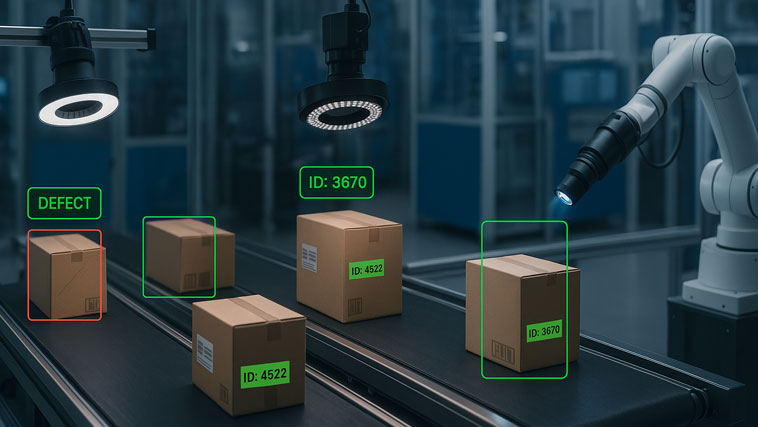
This project demonstrates how a Raspberry Pi can be used to run an AI-based object detection system that counts objects in real time using a camera.
The system works locally, without cloud services or GPUs, proving that practical computer vision projects are possible on affordable hardware.
The focus is not on large models or high accuracy benchmarks, but on a functional and reproducible AI pipeline.
What you will build
Raspberry Pi running AI-based object detection
Real-time object counting from a camera feed
Fully local inference (offline)
Simple Python-based setup
Required hardware
Raspberry Pi 4 or Raspberry Pi 5
Raspberry Pi Camera Module or USB camera
microSD card (16GB or larger)
Power supply
Software requirements
Project architecture
Camera captures video frames
Frames are processed locally on Raspberry Pi
AI model detects objects in each frame
Objects are counted and displayed in real time
All processing happens on the Raspberry Pi.
Installation steps
Update the system
sudo apt update sudo apt upgrade
Install required packages
sudo apt install python3-opencv python3-pip pip3 install ultralytics
Reboot the Raspberry Pi
AI model selection
For this project, a lightweight YOLO model is used.
YOLO Nano or YOLOv8 Nano variants are suitable for Raspberry Pi due to their low computational requirements.
The model is pre-trained and used only for inference.
Python code :
import cv2
from ultralytics import YOLO
# Load lightweight YOLO model
model = YOLO("yolov8n.pt")
# Open camera
cap = cv2.VideoCapture(0)
while True:
ret, frame = cap.read()
if not ret:
break
# Run inference
results = model(frame, verbose=False)
# Extract detections
boxes = results[0].boxes
count = len(boxes)
# Display object count
cv2.putText(
frame,
f"Objects detected: {count}",
(10, 30),
cv2.FONT_HERSHEY_SIMPLEX,
1,
(0, 255, 0),
2
)
cv2.imshow("Object Counting AI", frame)
if cv2.waitKey(1) & 0xFF == 27:
break
cap.release()
cv2.destroyAllWindows()
How it works
Each video frame captured by the camera is passed to the YOLO model running on the Raspberry Pi.
The model detects objects in the frame and returns bounding boxes.
The number of detected objects is counted and displayed in real time.
This approach does not require object tracking and keeps the system simple and efficient.
Performance notes
Raspberry Pi 4: approximately 3–6 FPS depending on resolution
Raspberry Pi 5: higher and more stable frame rates
Lower camera resolution improves performance
Practical applications
Limitations
Limited frame rate compared to GPU systems
Reduced accuracy for small or distant objects
Not suitable for large or complex models
These limitations are expected and acceptable for low-cost AI systems